OrbbecSDK_v2
C++ Sample:2.device.record.nogui
Overview
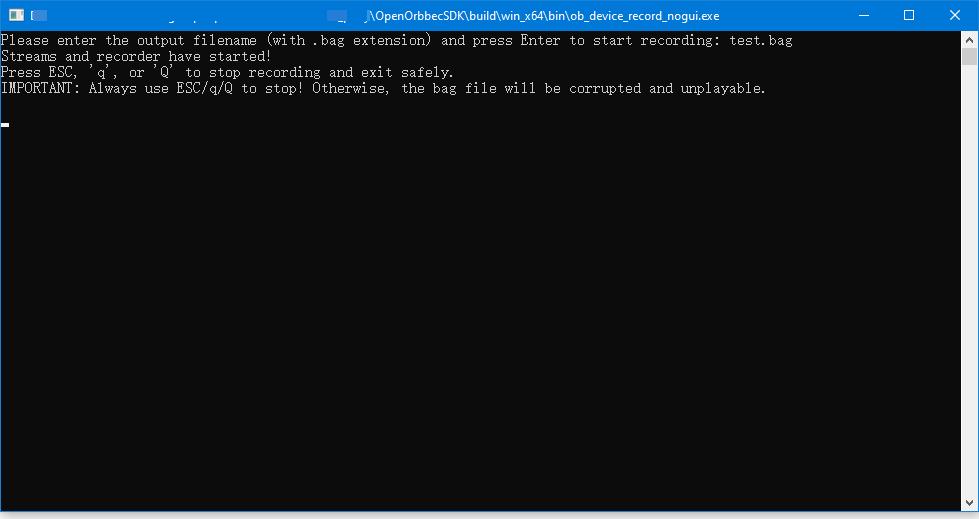
This example demonstrates how to use the SDK to record video/sensor stream data from an Orbbec camera and output a ROS bag file (.bag). It is a command-line (CLI) tool that records streams directly without rendering video frames.
Knowledge
- Pipeline: Manages data streams with capabilities for multi-channel configuration, stream switching, frame aggregation, and synchronization.
- RecordDevice: Handles data recording to a ROS bag file, supporting simultaneous capture from multiple sensors and streams.
code overview
-
Create a Context object and get the specified device.
std::shared_ptr<ob::Context> context = std::make_shared<ob::Context>(); auto device = deviceList->getDevice(0); -
Instantiate a RecordDevice to capture all streams from the connected device into a ROS bag file:
auto recordDevice = std::make_shared<ob::RecordDevice>(device, filePath); -
Configure and start the pipeline with a frame callback for real-time preview:
pipe->start(config, [&](std::shared_ptr<ob::FrameSet> frameSet) { std::lock_guard<std::mutex> lock(frameMutex); // Do something for frameset }); -
Destroy the RecordDevice to flush and save the ROS bag file:
recordDevice = nullptr;
Run Sample
Press the ‘Esc’ key in the window to exit the program.
Result