OrbbecSDK_v2
C++ Sample: 2.device.playback
Overview
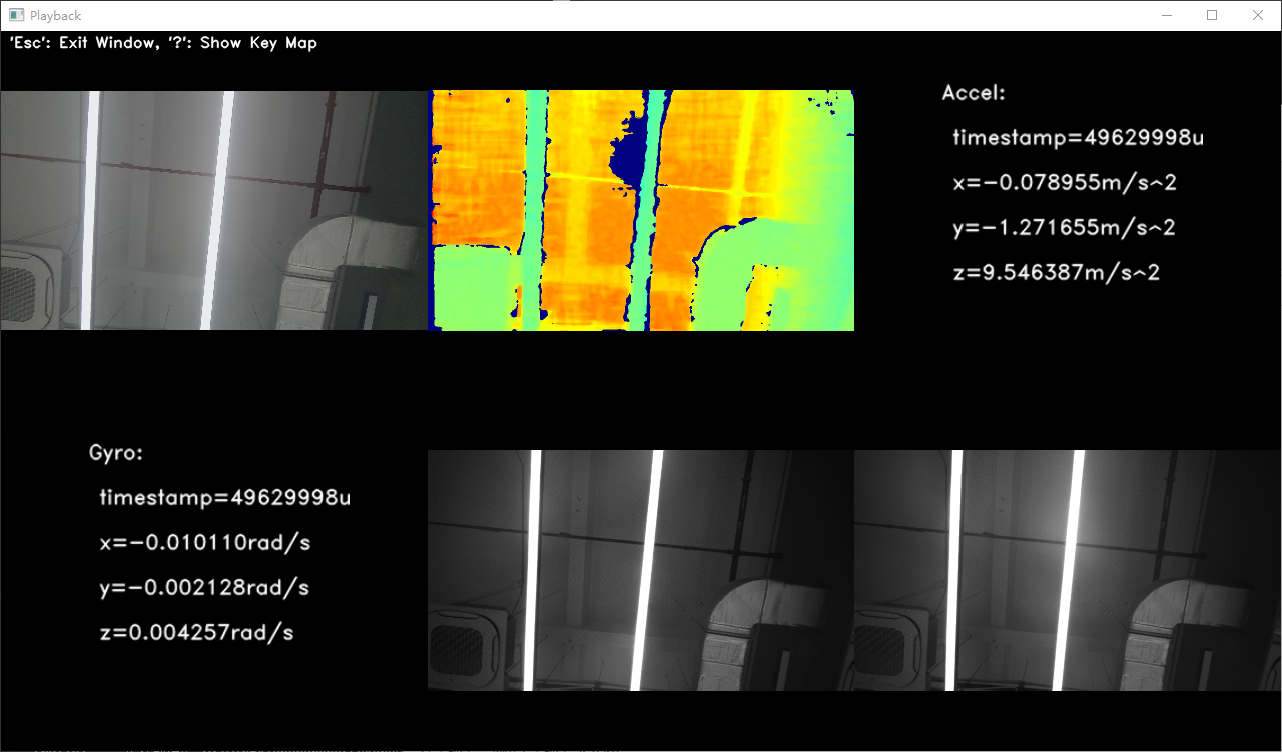
This example demonstrates how to use the SDK to read and visualize data from a ROS bag file (.bag).
Knowledge
Pipeline: Manages data streams with multi-channel configuration, frame synchronization, and aggregation capabilities.
PlaybackDevice: Reads sensor data from a ROS bag file and feeds it into the processing pipeline.
code overview
-
Initialize Playback Device and Pipeline
Create a playback device from a ROS bag file and configure the processing pipeline:
// Create a playback device with a Rosbag file std::shared_ptr<ob::PlaybackDevice> playback = std::make_shared<ob::PlaybackDevice>(filePath); // Create a pipeline with the playback device std::shared_ptr<ob::Pipeline> pipe = std::make_shared<ob::Pipeline>(playback); -
Enable Recorded Streams Activate all sensor streams available in the bag file:
std::shared_ptr<ob::Config> config = std::make_shared<ob::Config>(); auto sensorList = playback->getSensorList(); for(uint32_t i = 0; i < sensorList->getCount(); i++) { auto sensorType = sensorList->getSensorType(i); config->enableStream(sensorType); } -
Start the Pipeline with the Config
pipe->start(config); -
Automatically restart playback when reaching file end:
     playback->setPlaybackStatusChangeCallback([&](OBPlaybackStatus status) {
         if(status == OB_PLAYBACK_STOPPED && !exited) {
             pipe->stop();
             std::this_thread::sleep_for(std::chrono::milliseconds(1000));
             pipe->start(config);
         }
     });
Run Sample
Press the ‘Esc’ key in the window to exit the program.
Result